







Make Fundraising Campaigns Easier to Share
PayBee is here to offer organisations and their supporters easy and practical ways to share donation campaigns on social media and through direct links. Eligible campaigns and donation experiences can be linked effortlessly to supporters to keep everyone connected to the event and ensure everyone is in the loop. All you need is to make use of our simple direct links.
How Do Social Previews Appear?
Under the ‘Campaigns’ section of your PayBee dashboard, and once you have chosen your specific campaign, you can navigate to the ‘Links & Share’ tab. This allows you to share direct links, website embeds, and even post straight to social media with the click of a button on mobile and on your standard browser. It makes social media fundraising sharing tools easy.
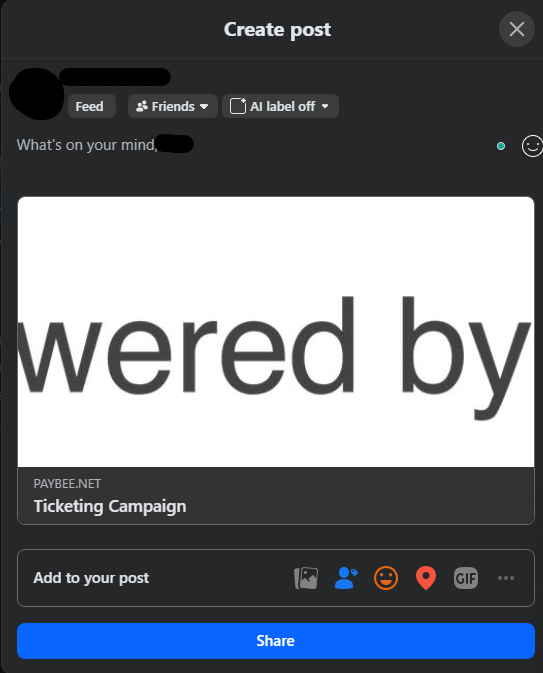
As you can see from our test image of what it looks like when you share to Facebook, it’s important for you to have a clear, high-quality image to help your preview stand out. All your supporters will need to do is click on the post, and they will be taken straight to your campaign so that they can sign up, make donations, buy tickets, or learn more about your cause.
Can Organisations Customise Shared Text and Images?
The direct link for your fundraising campaign promotion cannot be edited. It’s generated by PayBee, and the box is greyed out to ensure that it cannot be changed. However, there are other things you can edit to ensure that your campaign feels like it’s yours.

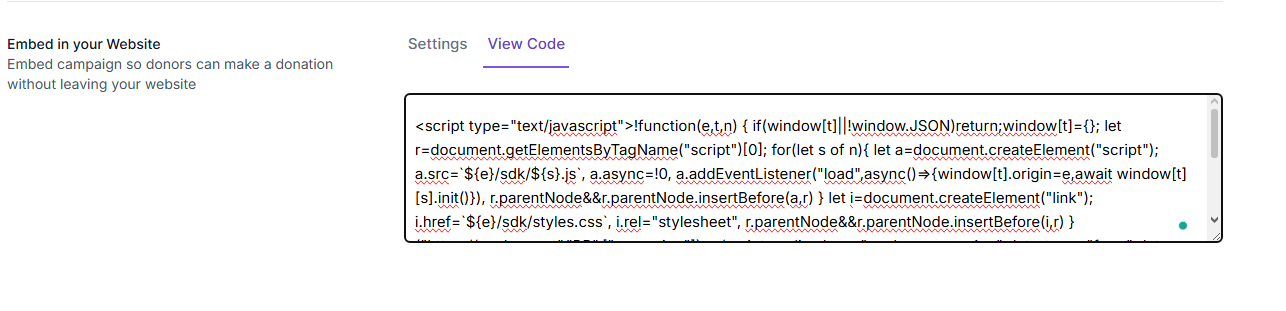
The embed for your website can be through a simple donation button or a more elaborate-looking form. You have full access to the embed code, and this includes editing access that allows you to tweak it in any way you need to ensure that it works well with your website and blends in.
Of course, we also know that campaign branding is important. As you know, we have donation pages that can be altered to fit the vision of your cause, but even the basic settings for your campaign can help your brand come to life.
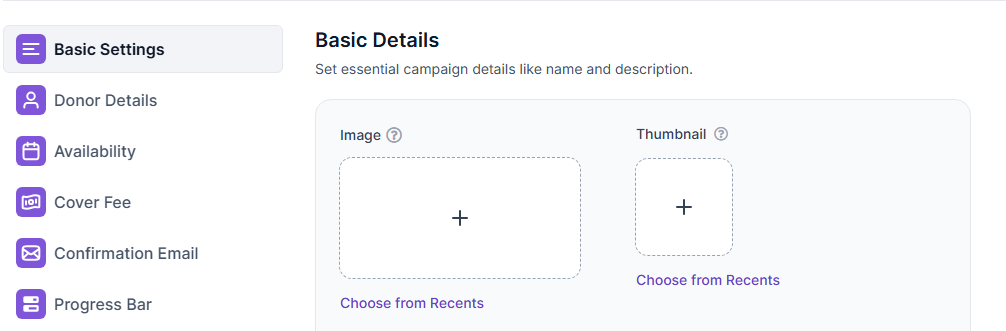
This also helps with the social media previews because you can adjust the imagery to ensure that they always look the way you want them to before you hit the ‘Post’ button.
Are Fundraiser-Specific Links Available?
You have the direct link that’s available for sharing whenever you create a campaign. However, there are also other fundraiser-specific links that you can use to make it more accessible to everyone. This includes the QR code that comes with every campaign and makes it simple for your supporters to access your page.
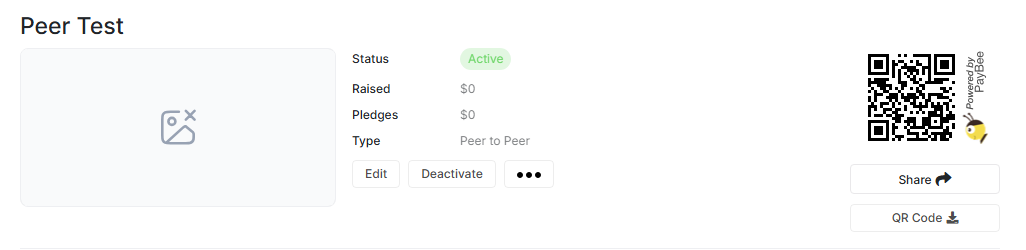
The direct links and QR codes can link straight to your donation page or website, depending on the nature of your cause and event. It really helps you branch out with peer-to-peer sharing tools, and you can easily share your campaign across every channel. Since every fundraiser link is unique, you won’t get them mixed up either.
How Sharing Fundraising Campaigns Works
The first step is accessing your campaign from the ‘Campaigns’ section of your dashboard. Once you’re there, you can head to ‘Links & Share’, where you will find several options for sharing your donation page. Every option is quick and easy, and it includes a donation link, social media sharing buttons, and a website embed.
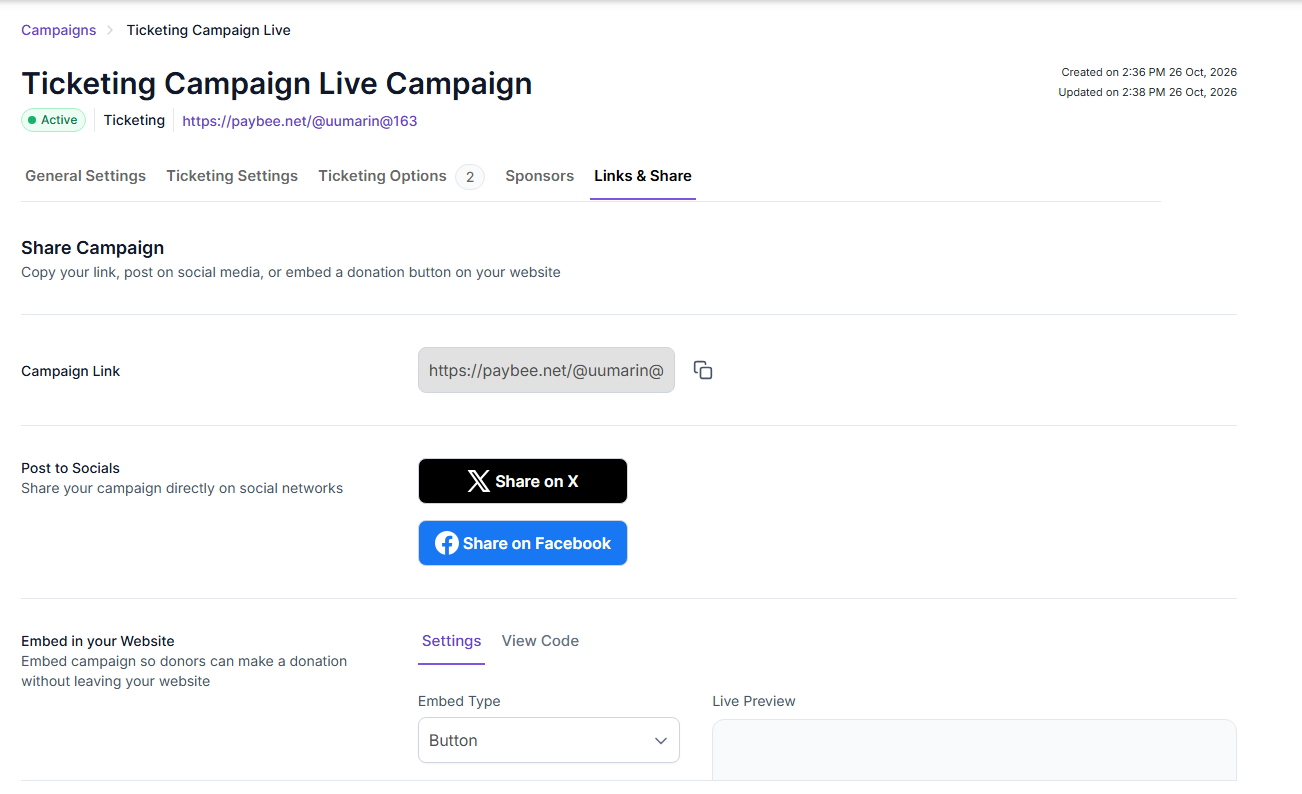
Next, you have to choose how you want to share your fundraiser. We recommend sharing on as many platforms as possible, and you can use the direct link to distribute it amongst other social media platforms that we aren’t yet fully integrated with. Each donation link is unique, so you don’t have to worry about getting your campaigns mixed up.
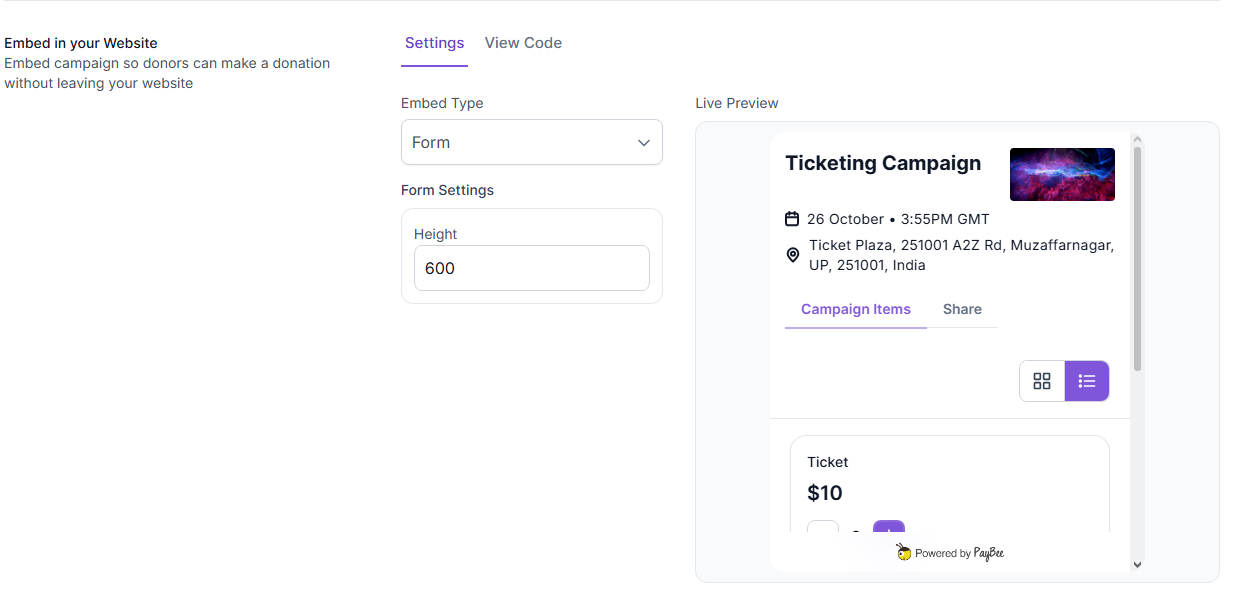
If you don’t fancy using the customisable ‘Donate’ button, you can choose to share the embed as a form on your website. This contains a preview of your campaign and, for example, the ticket tiers and donation levels that are available. The live preview gives potential supporters a little more to go on and gives them a better look at your campaign and cause.
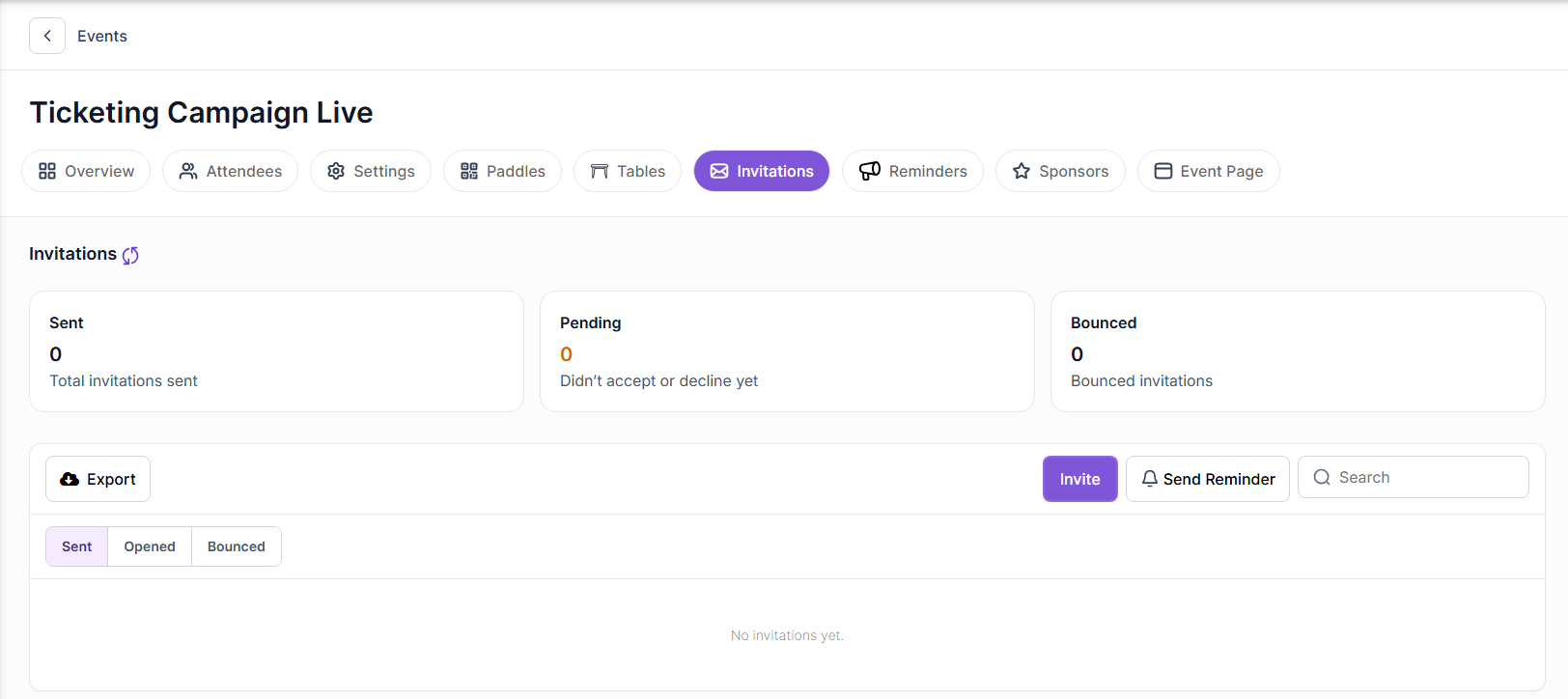
Now, if you are running a ticketing campaign or an event, you can also send out invitations to supporters that you would like to attend. This could be the big bidders or those who haven’t attended in a while. All you need to do is access the ‘Invitations’ section under your events. This will then show you how many have been sent, accepted, bounced, and are pending.
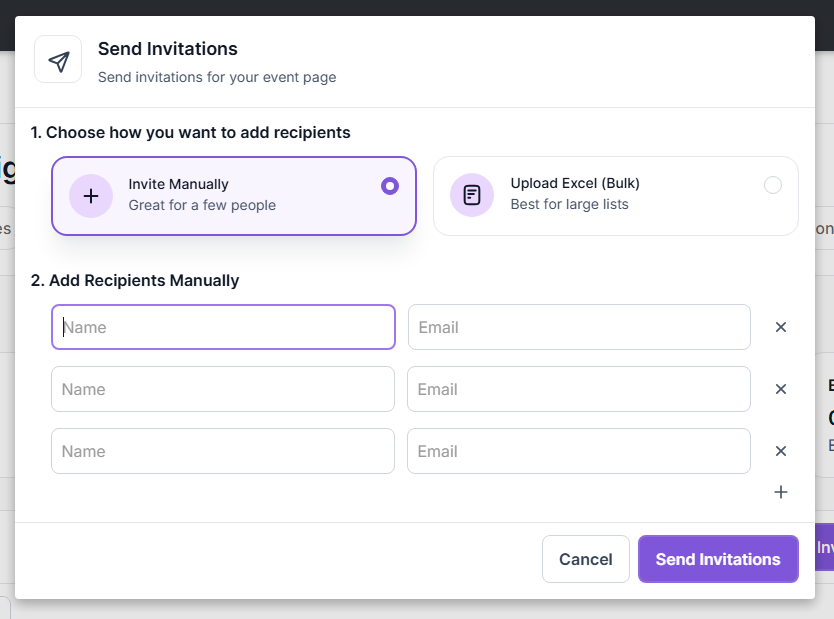
What makes it even simpler is the fact that you can upload your contacts via an Excel Spreadsheet to make your job even easier. However, the option to add people manually is there if you need it. All you need to do is add all of the guests you would like to invite, send the invitation, and then the event has been shared with them via email.
This also means you have the option to add additional information to your email that supporters might find interesting about your cause or make them more likely to click the link to your donation pages. It’s a great way to mix invitations with advertising your mission.
Which Social Platforms are Supported?
Currently, the only two social platforms that are supported are Twitter (X) and Facebook. They can be accessed with the click of a button and will immediately generate a post that you can edit and share to your account. However, that doesn’t mean that you can’t share your campaign across other platforms. You’ll just need to take an extra step.
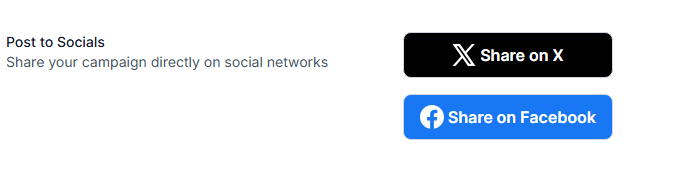
You can copy the direct link and use it to spread the word on other social media platforms. While Twitter (X) and Facebook are the two leaders for social media donation pages, we know that Instagram, TikTok, and Bluesky are just as valuable. The direct link also makes mobile sharing so much easier and accessible to help you reach a wider audience.
Does PayBee Track Visits or Gifts from Shared Links?
PayBee does have tracking capabilities, but they are limited in what they can do. For example, you can track each campaign and see how much was made, which tiers brought in the most, and who donated the most money. That helps you keep an eye on your biggest donors for when you’re planning your next events and potential ticket tiers.
However, the tracking capabilities that PayBee offer are more limited. This is in the sense that visits and clicks are not tracked. If someone visits your page through a direct link and they don’t go through with a transaction, you will not see them on the dashboard. Visitors are not counted as part of the analytics process, which we feel is important to be transparent about.
This doesn’t mean that you don’t get a good view of what’s happening with your donations because gifts are tracked through the shared links. So, any time someone makes a donation and completes a transaction, that will be available through the analytics and reporting section of the dashboard. You just won’t be able to track the people who changed their minds.
Note: If you feel as though you need to track visitors who did not make a purchase, it is possible to track this specific analytic through external tools that offer a full map of who has visited, how long they spent on the page, and where they are from.
Frequently Asked Questions
Can Supporters Copy a Direct Campaign Link?
Yes, supporters can copy a direct campaign link as long as they either click the link you shared or copy one from your social media profiles or posts. Every link that you post to your event or donation page is a direct campaign link that can be used by supporters to help spread the word and ensure that they are able to come back later and donate if needed.
Can Volunteers Access Fundraising Campaign Sharing?
Absolutely, volunteers have full access to fundraising campaign sharing as long as you give it to them. It all depends on the role you have given them and any configurations you might have made to their accounts, but as a standard, they should be able to access the links and sharing buttons without issue.
Can Sharing be Disabled?
No, you cannot disable sharing for fundraising campaigns. Since they are designed to be shared so that you can collect money and raise awareness for your cause, there is no setting to turn it off. However, you also have the choice not to use the direct links, social media buttons, or website embed if you decide that you don’t want to actively share your campaign.
Witness PayBee’s Social Sharing in Action
At PayBee, we are dedicated to you as a nonprofit organisation, and we want to make the process as easy as possible. That’s why our campaign sharing process is so simple, and all you need to do is click the ‘Copy’ button to ensure your direct link can be shared across the world. Why not try it out today and see the difference we can make to your social sharing campaign?