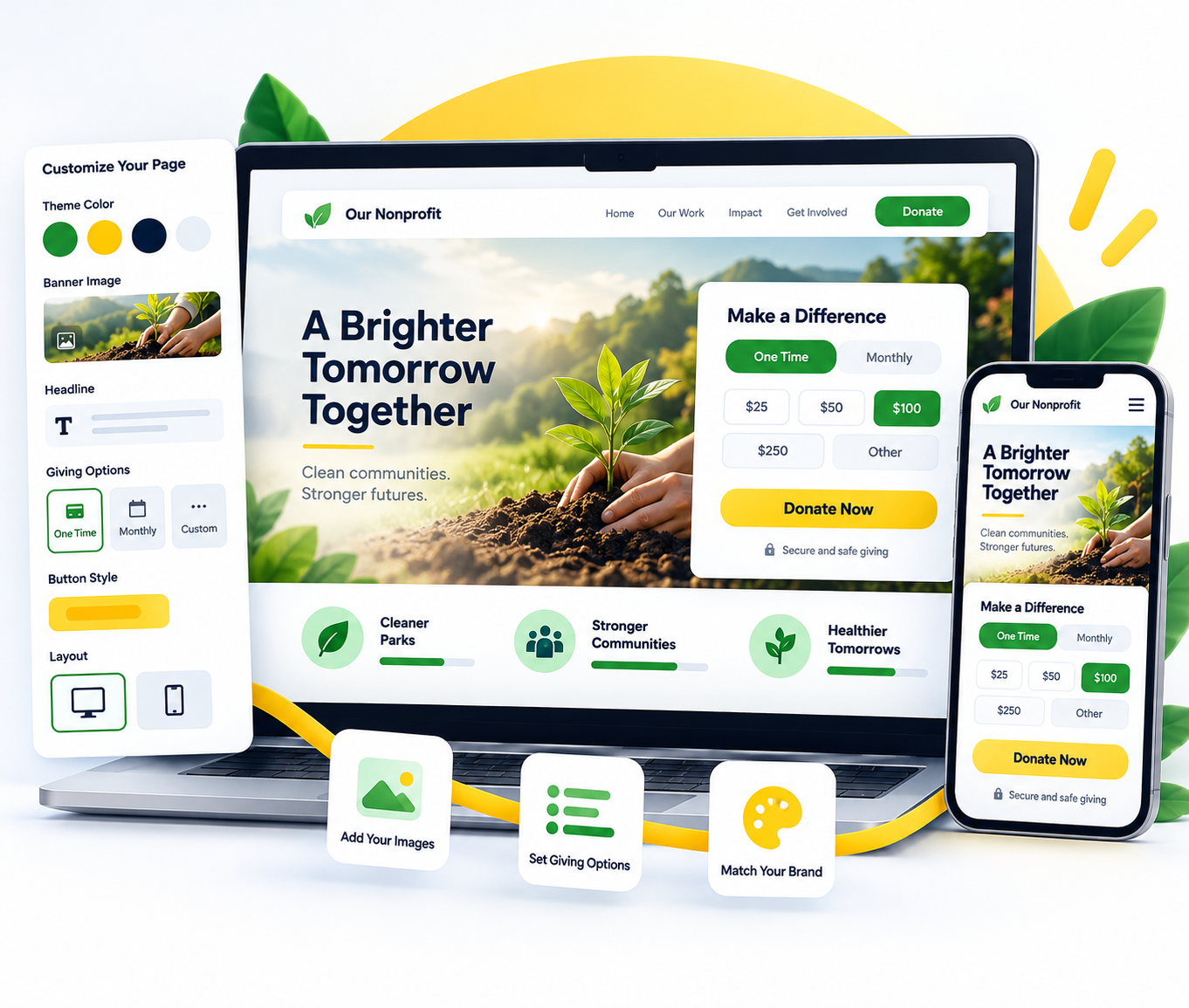
Online donation pages

Customizable Donation Pages

Customizable Donation Pages in PayBee helps nonprofits simplify fundraising workflows, keep activity connected, and create a better supporter experience.

Feature preview
01

Tell the campaign story

02

Present clear giving options

03

Collect connected donor details

Set up customizable donation pages in three clear steps

Configure the feature in PayBee, review the experience, and keep the results connected to your campaign.

Create the campaign

Choose the donation campaign type and add the core fundraising information.

Customize the page

Add the title, description, imagery, giving options, and donor information your campaign needs.

Preview and share

Review the page on desktop and mobile, then share the campaign link or QR code.

Ready to turn these steps into a smoother workflow?

Built for a smoother fundraising workflow

Give your team practical controls while keeping the supporter experience clear and connected.

Bring these capabilities together in one connected platform.

A page built around the mission

Explain what the fundraiser supports and give donors the context they need before they contribute.

Flexible giving choices

Present fixed levels, custom amounts, recurring options, or campaign-specific items when available.

Responsive supporter experience

Give donors a clear path to contribute from a phone, tablet, or desktop.

Connected campaign data

Keep donor details, payment status, receipts, and reporting tied to the same PayBee campaign.

Create a donation page that fits your campaign

See how PayBee can help your team use this feature alongside the rest of your fundraising workflow.

See PayBee in Action

Questions, answered

Frequently asked questions about customizable donation pages

What does Customizable Donation Pages do?
Create a focused donation experience with your campaign story, giving options, images, and supporter details in one responsive PayBee page.
How do I get started with Customizable Donation Pages?
Open the related campaign or event settings in PayBee, choose the feature, and follow the guided configuration options for your fundraiser.
Is Customizable Donation Pages available on mobile?
PayBee is designed for responsive donor and event workflows. The exact controls available depend on the feature and the role of the person using it.
Can my team use Customizable Donation Pages?
Administrators can configure the feature and give staff or authorized volunteers the access they need for their event-day responsibilities.
How does Customizable Donation Pages connect with reporting?
Activity remains connected to the related PayBee campaign, guest, donation, ticket, or auction record so your team can review results in one place.
Where can I see Customizable Donation Pages in action?
Request a PayBee demo to walk through the feature in the context of your organization’s fundraising workflow.

Still deciding? See the platform in action or start building today.