


How to Do an Online Auction for Free: 7 Platforms Compared and Ranked
The great news for nonprofits is that it’s possible to host an online auction for free in 2026. There are free online auction sites out there that can help you set things up and run an event effortlessly. It makes it a lot more accessible for charities and organisations, especially those that don’t have a lot of spare cash to throw around and spend on events.
But the word free doesn’t always mean that, and how ‘free’ something is can depend on one of three tiers you can choose from to suit your nonprofit. Some are completely free and have no costs involved, some have free trials with a time limit, and others have free options that can be improved with paid additions down the line. It all depends on what suits your nonprofit.
If you’re looking to learn how to do an online auction for free, then you’re in the right place. Here’s an honest breakdown to help you find the right method for your fundraiser.

The 3 Tiers of “Free”
There are three tiers for you to consider when you’re looking for free online auction sites, and some of them require more work than others. The important thing to note before you take a closer look at these tiers is that only one of them is truly free for nonprofits and donors alike. But while the others come with either a small fee or a subscription, they can be incredibly useful.
Tier 1: DIY
This tier is considered to be the only truly free tier for both nonprofits and donors, although it also requires the most work. It’s a fantastic start for organisations that can’t afford something bigger yet, and it’s also an ideal choice for smaller events that don’t need as much planning. In fact, you can use the following online auction software, free of charge:
- Google Forms (bid submissions)
- Google Sheets (tracking bids, donors, and items)
- PayPal, Vemno, and Zelle for payments
- Social media campaigns for promotion
- Email notifications to keep people updated
Our honest assessment is that it only really works for auctions with 10-15 items and anywhere from 25-50 bidders. Additionally, it’s suitable for events that only fundraise anything less than $5,000. If you go above that, you start to find more errors, there are time costs, and all of this adds up and ends up becoming more expensive than you might have anticipated.
It also has its own limitations in the sense that there is no real-time bidding. This means that bidders don’t get automatic notifications when someone outbids them, and you have to do everything yourself. There is also no integrated payment processing, and you have to create all of your tax receipts yourself, which is another easy way to cause errors.
Tier 2: Time-Limited Free Trials
Free trials are a great way to test a platform and see if they are going to be a good fit for you. They allow you to access most, if not all, of the tools available so that you can get a feel for how they work and test out how an actual event goes. Most free trials last between 14 and 30 days, which means you have plenty of time to assess the full experience.
Some of the best platforms with time-limited free trials include:
Outside of these platforms, there are also those that offer free demos instead. These are different from the trials in the sense that you don’t get to use them to run a full auction and they are only available for the duration of the time you spend setting up and running a fake event. While they are good for getting a feel for things, you don’t get much else out of them.
Some of the most popular platforms that offer demos instead of trials include:
We find that free trials are fantastic for testing a platform out before committing to it, and they can also be handy for one-off events. After all, why pay when you know you’re not going to host another fundraiser? The nice thing is that SchoolAuction and Selling Lane give you access to everything the platform has to offer from every tier during the trial period.
Atreus is a little different in that you only get to list ten items per month during the trial. With all of the platforms, you also have to remember that once the trial ends, you will have to pay to use it, or you might even be charged for migrating your information to another data tool. Therefore, it is important that you plan accordingly before you go ahead with it.
Tier 3: Free Tiers on Auction Sites
The free tiers on auction sites that we’re talking about are genuinely free. There are no upfront costs, no hidden fees, and it is possible for you to run your event without spending a penny while also taking advantage of the fantastic tools offered by the platform. How? Through donor-funded transaction fees that are paid for by your donors.
Of course, it’s also important to note that donors covering the fee is entirely optional. If they decide not to, then the fee ends up being absorbed from the amount that has been donated. It is something that both of our chosen platforms are honest and transparent about, but it’s good to be aware of it before you get set up. But what about these chosen platforms?
- Givebutter: A donor-tipping model where donors are prompted to leave an optional tip for Givebutter at checkout in addition to covering the credit-card processing fees. There are no upfront costs, and if the tips cover the fees, then the nonprofit nets close to 100% of donations.
- PayBee: Processing fees are charged per transaction, and donors have the choice to cover those fees on behalf of the nonprofit at checkout. This allows the nonprofit to net close to 100% of its donations. There are no upfront costs and no monthly fees. Access to all tools and auction features is provided.
We believe that this is the category that serves nonprofits the best. It’s exactly what should be compared because every good cause deserves to have a chance to reach a wider audience while also hosting fantastic events that benefit those in need. Both of our top platforms are excellent in this regard, and they have tiers that are genuinely free.
This means that when you use the free tiers offered by Givebutter and PayBee, you don’t have to worry about things like annual contracts, monthly subscriptions, or even setup fees for each event. But the real difference between these two is how they cover their costs. That’s where we come in with an honest breakdown of how the platforms work and the differences in the donor experience.
Givebutter
When using Givebutter, donors will be prompted to leave an optional tip to the platform that’s separate from the processing fees. The tip rates vary as the platform itself is funded through aggregate tip revenue. It’s completely transparent about the process on the donor side, and it’s a platform that works for nonprofits to help them make the most money.
Givebutter is quite adamant about being on the side of the nonprofit, which is why it’s one of the two platforms we’ve chosen to look at. That, and they have some great features to make the fundraising process easier. Some of the features you can look forward to when you select the free tier from this platform include:
- Donor management and CRM
- Silent auctions
- Payment processing system
- Widgets and integrations
- Mobile app for auctions
- 24/7 support (but no priority support)
- Marketing and engagement
PayBee
With PayBee, donors are asked to leave an optional tip when they are making their donation. It’s explained that this covers the transaction fee so that the nonprofit doesn’t lose money. Most donors will choose to cover the fees, but there are those who don’t. When this happens, the nonprofit will pay the fee out of the total amount covered.
It’s a fully transparent process that ensures donors are aware of what’s happening and their options so that they can decide if they want to absorb the cost of processing fees on behalf of the nonprofit. There are also fantastic features included with the free tier that PayBee offers, and these include the following:
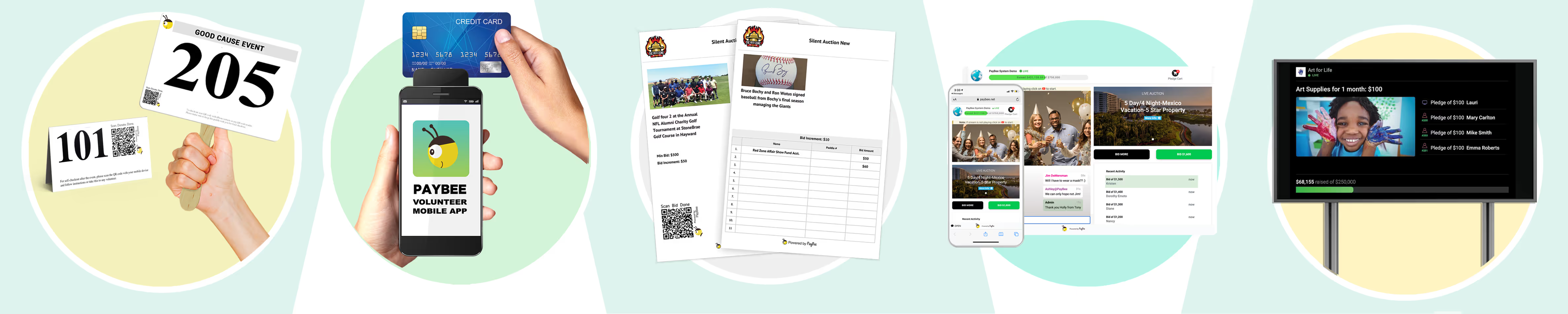
- Varied auctions that include silent auctions, raffles, hybrids, and more
- Peer-to-peer fundraising options
- Real time reporting
- Built-in automation for tax receipts and daily deposits
- Automated payment processing
- Personal onboarding when you start
- 24/7 customer support
Both platforms are there to support nonprofits and ensure they have the best possible start without spending money. While they are both very similar, they also have differences that set them apart and might help you determine which one is going to offer your nonprofit the most. No matter who you go with, your free online auction is bound to be a success.

Tier Comparison Table
Here is a quick comparison that details the differences between DIY auctions, free tiers, free trials, and paid tiers. It’s there to give you an idea of what the differences between them are and who they work best for so that you can make the most informed choice possible.
How Donor-Covered Fees Actually Work
Wanting to understand how donor-covered fees actually work is completely valid, especially when you’re using the free tier of a platform like Givebutter or PayBee for the first time. Since they both use donor tips to cover the fees for their free tiers, this explanation applies to both.
The point of the donor-funded model is to save nonprofits money and help them keep as much of the money they have raised as possible. This means that when a donor checks out and goes to complete their purchase, they will also be asked if they would like to cover the platform’s transaction fee on top of their donation.
It is completely optional, which means that they can decline if they want to, but you’ll find that an average of 55-60% of donors will choose to cover the fees. This is actually quite a high percentage, and you will find that the average tip rate is around 3-5%, which means the fees do end up being covered fairly quickly when they choose to cover them.
When this happens, it means that your nonprofit will receive close to 100% of the total donation amount, which is fantastic and can be exceptionally beneficial to the cause you’re supporting. However, there are cases where the donors do not tip enough to cover the processing fees. When this happens, the platform fee will come out of the donation total.
This works the same way as credit card processing fees. It’s not a hidden cost; it’s something that is made very clear to nonprofits on each platform, and it’s very visible for donors when they reach checkout. It’s the kind of transparent system that benefits an online auction, but how can you stop donors from declining to cover the processing fees?
Well, the whole system is based on trust. The more your donors trust you and your cause, the more likely they are to absorb the extra costs for you. This means that if it’s your first fundraiser, you might not see as many donors covering the fees because they haven’t yet established a strong relationship with your organisation.
Donors who have prior experience with a platform and an organisation will usually be more inclined to spend the extra money and cover a higher rate of fees. This is nothing against you; it just means you need to work hard to build that trust and show donors that you’re a reputable and reliable nonprofit. All we’re saying is be prepared to absorb some of the costs to start with.

The “When Free Isn’t Free” Math
The idea of a DIY auction is great if you’re a very small nonprofit looking to raise less than $5,000. You have everything you need at your disposal for free, including the use of Google Sheets, Google Forms, and email. It’s good, but there are also massive downsides that can turn it into a lot more work and hassle than it needs to be.
If you’re doing a DIY auction, you should only really be putting up a maximum of 15 items. However, we’ve seen people list a lot more. Let’s say you decide to set up a silent auction for 200 items using free DIY tools. That alone will take 40-80 hours of your time, all of which is given on a volunteer basis because you’re not paying yourself.
You can add tracking bidders and managing them to that total time, and you should also expect to lose 3-7% of your revenue based on bidding errors and missed bids. On top of that, the average revenue lost to payment processing issues (most notably when donors abandon checkout) is 5-10%. It feels like a lot, and it is.
If the event you are hosting raises, for example, $30,000, then you are potentially losing $2,400-$5,100. That’s a lot of lost revenue in addition to the 40-80 hours of volunteer time that you spend on the fundraiser. This is why the DIY tier is suited to very small fundraisers that only have a few items and aren’t going to raise huge amounts.
The good news is that math like this doesn’t apply to the free tiers offered by Givebutter and PayBee. Their platforms are there to support you through the process and automate things like bids, notifications, and even the generation of tax receipts. Most of the time, choosing a platform with a free tier ends up saving you a lot of time and lost revenue.
Real Customer Examples
To be added later with examples that are approved by the org as discussed previously.
Decision Framework
You’ve had a lot of information to process, and we know that it can make the whole decision process that much harder. We want to make things easy for you, and that’s why we’ve mapped out this quick and easy decision framework to help you figure out which tier is going to be right for you. After all, we want your free online auction to be a resounding success.
DIY
Going the DIY route can be really good when you’re starting out, especially when you have a tiny budget that you need to follow. It’s the best option for learning how to host an online auction for free if you meet the following criteria:
- Your auction has between 10 and 15 items
- You are expecting fewer than 50 bidders
- You are likely to raise less than $5,000
- You have more than 40 hours to spend volunteering
- You don’t need real-time bidding or mobile bidding
- You are confident with manual tracking and payment processing
Free Tiers
Free tiers work well because they specialise in free auction software for nonprofits. Platforms like PayBee and Givebutter are the perfect match for you if your fundraiser meets any of the following criteria:
- Your auction will have more than 15 items
- You are expecting more than 50 bidders
- You want to use real-time and mobile bidding services
- You would like automated and integrated payment processing
- You are hosting at least one event per year and don’t want to keep migrating tools
- You are happy for transaction fees to be passed to donors as an optional add-on
Paid Plans
The paid plans can be a really good step forward, and there are so many reputable platforms that offer them. PayBee has a paid tier, and then you have OneCause, ClickBid, and SchoolAuction, which all offer strong paid options that can be tailored to your fundraiser. Switching to a paid plan applies when you meet the following criteria:
- You would rather pay a monthly or annual fixed fee than have donors absorb costs
- You host multiple large events every year
- You are looking for advanced features such as CRM integration, multi-user permissions, and custom branding
- You have specific requirements for data and compliance that free tiers aren’t able to meet
- You want your budgeting to be predictable and steady instead of varying according to the size of the event
When to Upgrade to a Paid Plan
If you’re an established nonprofit and you’re looking to up your game with regard to your online auctions and events, it might be time to upgrade to a paid plan. It’s not necessary, but there are some perks to choosing it over the free tiers. So, when do you upgrade to a paid plan? If you find yourself in need of the following, it might be time:
- If you’re hosting multiple events, you could benefit from the monthly/annual pricing that comes with paid plans instead of dealing with potential fees on a per-event basis
- There is always the risk of item limits with free plans or DIY, and paid plans ensure that you always have unlimited listings
- Mobile bidding is a native aspect of paid plans, which makes the experience more streamlined for your donors
- Payment processing fees are not covered with paid plans, and there is no option for donors to cover them, but you do get a wide range of options and automated payment services
- You have full reports that are available to you after the event, so that you can keep track of CRM and KPIs effortlessly
- There is full integration with your existing CRM and donor management so that you don’t have to stress about tool and information migration
- Tax receipts are generated after the event to ensure that your donors have everything they need to make their claims
But the most important thing is trust. Platforms like PayBee and Givebutter are well-established, and they are trusted by nonprofits for free and paid tiers alike. Upgrading to a paid plan could be the best choice for your nonprofit, but don’t be afraid to get in touch with your chosen platform and ask questions first. You need to make sure you’re a good fit, after all.

Frequently Asked Questions
Can I Really Run an Online Auction for Free?
You can absolutely run an online auction for free. It’s possible to do it with the help of DIY tools such as Google Sheets, Google Forms, and PayPal, as well as using the free tiers of auction sites like PayBee and Givebutter. There is always a way to raise money without having to lose any of what you raise.
What Does PayBee's Free Tier Include?
The free tier for PayBee includes access to all of the tools you need to get started. You will be able to see real-time reporting and updates, have automated payment processing, tax receipt generation, and a good auction depth for more varied events. There are also bidding updates to ensure that everything is fully automated and runs the way it should.
How Does Givebutter's Free Model Work?
The way Givebutter’s free model works is by prompting donors to cover the platform fees and make a tip-based donation to Givebutter with their donation. This not only helps to fund the platform, but it also means that the processing fees for nonprofits are covered if donors choose to do so. That way, there is a chance for them to keep close to 100% of the money raised.
What Does 'Donor-Covered Fees' Actually Mean?
Donor-covered fees mean just that; the processing fees for the nonprofit’s online auction are covered by donors who make an additional donation on top of their original one. That way, the donor receives the item they won, and they also allow the nonprofit to keep more of the money they raised because they won’t need to absorb the fees themselves.
What Percentage of Donors Typically Cover the Platform Fee?
Generally speaking, 55-60% of donors will cover the platform fee. This is actually a fairly high number, and it means that many nonprofits end up benefiting from their costs being covered.
When Should I Upgrade From a Free Tier to a Paid Plan?
The time to move from a free tier to a paid plan is when you start running multiple large-scale events every year, and you need more detailed software to keep track of everything. It will work out cheaper to pay for the subscription, and you’ll have access to in-depth analytics, customised branding, and tailored data compliance options.
What's the Cheapest Way to Run a Small Auction?
The cheapest way to run a small auction is to use the DIY method. There are no upfront costs, and all of the online auction software is free to use. But it’s only worth it for small auctions with 15 items or fewer that raise less than $5,000. If you’re going any bigger than that, the free tiers from donor-funded platforms like PayBee and Givebutter are a much better choice.
Are Donor-Funded Platforms Like PayBee and Givebutter Actually Free for Nonprofits?
Yes, donor-funded platforms like PayBee and Givebutter are actually free for nonprofits. As long as donors choose to cover the processing fees at checkout, nonprofits get to keep close to 100% of the money they raise. However, if the donor funding isn’t enough to cover all of the fees, it will be taken from the amount raised.
Get Started with Your Online Auction Today
We hope that your free online auction goes well and that you find the right software or platform to get you through it. No matter which tier or platform you choose, the most important thing is that you find something that works well for your organisation. Online auction sites aren’t a one size fits all kinda deal, which means you might need to explore before you find a match.
If you ever find yourself in need of advice or looking for support while figuring things out, we’re always here to help you out. All you need to do is get in touch, and the team at PayBee will be there to make things easier.
Start Fundraising
 Adrienne Hardwick
Born with twin ambitions—to be a writer and to be Indiana Jones—Adrienne managed to become both. Driven by passion and determination, and unwilling to quit when things get tough, Adrienne chased down those childhood dreams: first earning a university degree that delivered genuine Indiana Jones credentials, then launching a freelance writing career soon after. The writing journey began in 2011, while still a student, with the founding of The Control Room, a site for gaming news and reviews that went on to secure deals with the likes of EA and Curse before school and life brought it to a close. That setback didn't stick. By 2016, Adrienne had turned freelance writing into a full-time profession, working with remarkable people and companies, expanding a growing portfolio, and gaining new levels of confidence along the way. The perfect writer for you and your company—and always happy to hear from you.